Portainer Agent
Pre-Req's
- An existing Portainer installation on a differnt system
- A configured MetalLb/Traefik install on your Kubernetes cluster Brief overview & GitHub example repo that shows how to create Azure Container Instances (ACI), with persistant storage, with Terraform.
Setup within Portainer
Login to your Portainer instance.
Navigate to Settings -> Environments on the left menu.

On the right, click Add environment.

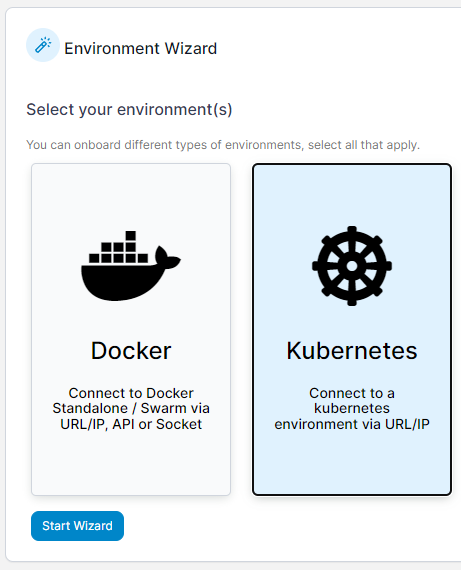
Click Kubernetes then select Start Wizard at the bottom.
Mid-way down the page, copy the kubectl command it lists, the load balancer option, and run it in your CLI.
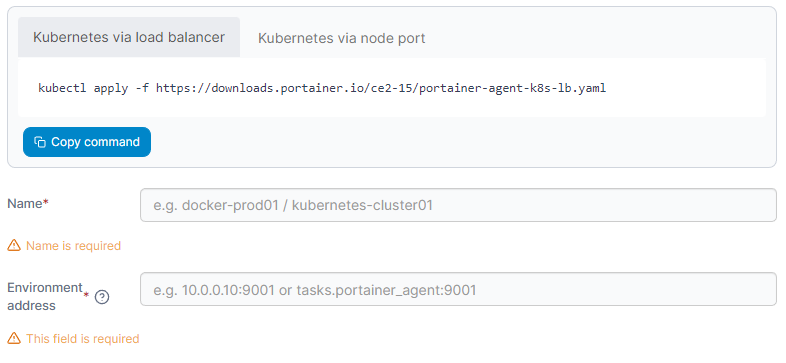
Whilst it completes, enter a Name for your environment, for example "K3s Cluster`.
Don't navigate away from this page, but instead, change to your CLI.
Run the command -
kubectl get svc -n portainer
This command lists out all the services in the namespace called "portainer".

Looking at the row for portainer-agent, under EXTERNAL-IP, we can see the external IP for the agent.
Enter this IP into the Environment Address in your Portainer browser window, adding :9001 to the end.
Then click Connect at the bottom.
After a few seconds, you should see your K3s cluster in your environments page for Portainer, and be able to do some management through the Portainer GUI.
Next Step
Next, go to the next step, Extra stuff.
Or,
Go back to the index page.